Adaptive Iconography Systems Responding to User Context in Progressive Web Interfaces for Educational Portals
Elena Krause · Jul 21, 2026

Adaptive Iconography Systems Responding to User Context in Progressive Web Interfaces for Educational Portals
Adaptive iconography systems in progressive web apps for education adjust visual symbols according to real-time user context such as location, device capabilities, learning stage, and accessibility preferences, and these systems operate through JavaScript listeners combined with service workers that monitor variables without requiring full page reloads.
Core Mechanisms Driving Context Response
Developers implement these systems by defining icon sets in SVG format that respond to data from browser APIs including Geolocation, DeviceOrientation, and local storage entries that track course completion metrics; when a student accesses materials from a mobile device in low-light conditions the interface swaps high-contrast icons while maintaining the same file size footprint across different network conditions.
Studies from research institutions indicate that such adaptations reduce cognitive load during navigation because icons change size, color saturation, and even shape to match the current module, and this occurs seamlessly since progressive web interfaces cache the necessary assets locally.
Implementation Patterns in Educational Settings
Educational portals built on frameworks like React or Vue integrate context detection through custom hooks that pull from user profiles stored in IndexedDB, and the system then selects appropriate icon variants before rendering the navigation bar; one deployment at a large university network showed that icon changes based on time-of-day preferences improved session duration by aligning visual cues with scheduled study blocks.
Observers note several common triggers in these environments: progress indicators that evolve from outline to filled states, subject-specific symbols that appear when users switch between STEM and humanities sections, and simplified icon versions activated for users who enable reduced-motion settings in their operating systems.
Technical Architecture and Data Flow
The architecture typically layers a context engine on top of the PWA manifest where JSON configuration files list icon mappings tied to variables such as battery level, network type, and learning analytics scores pulled via secure API calls; service workers intercept these signals and swap icon references in the DOM while preserving offline functionality.
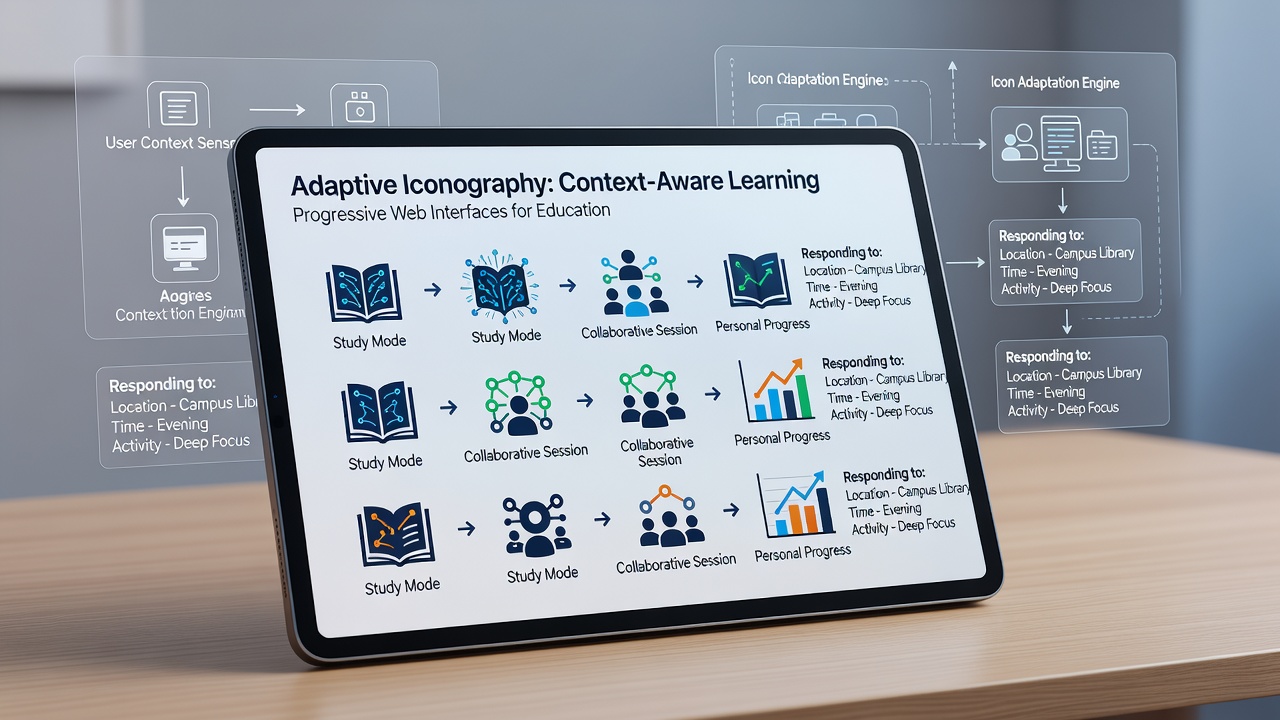
As of July 2026, several platforms report using WebGL shaders sparingly to animate icon transitions only when device sensors confirm adequate processing headroom, and this selective approach keeps performance metrics stable even on older tablets commonly distributed in secondary schools.
Observed Outcomes Across Deployments
Figures from institutional evaluations reveal that portals incorporating adaptive icons see measurable decreases in help-desk tickets related to navigation confusion, and the same systems often extend to color-blind modes by automatically substituting icon sets with patterns that remain distinguishable without relying solely on hue differences.
Researchers have documented cases where geographic context triggers localized symbols, such as region-specific calendar icons during exam periods, and these adjustments occur through lightweight scripts that reference public datasets without transmitting additional personal information beyond what the user has already consented to share.
Integration with Accessibility Standards
Compliance with guidelines from bodies like the World Wide Web Consortium ensures that adaptive icons retain semantic meaning through ARIA attributes that update alongside the visual changes, and screen reader announcements reflect the new context without interrupting the learning flow. Data from North American accessibility audits show consistent improvements in task completion rates when iconography responds to both user preferences and environmental factors.
Conclusion
Adaptive iconography continues to evolve within educational progressive web interfaces as developers refine detection algorithms and expand the range of contextual variables, and the approach delivers consistent visual support across diverse learner populations while respecting performance and privacy constraints inherent to browser-based environments.